ICLA 签署流程
Apache ICLA 签署流程指南#
注:本文参考 incubator-shenyu-website项目的Apache ICLA 签署流程指南文档 https://shenyu.apache.org/zh/community/icla/
Apache CLA 全称 Apache Contributor License Agreement,签署ICLA的目的是定义向ASF贡献的文档,保护知识产权,避免后续法律纠纷。ICLA在官方存档后生效,贡献者方可参与Apache项目。
当我们需要签署ICLA时步骤如下:
1. 打开链接 官网Licenses 在Contributor License Agreements 下找到CLAs并进入页面。

2. 在页面上方我们可以看到两个下载链接,选择ICLA(个人CLA)并下载文件。

3. 打开PDF,ICLA需要填写的是两个部分,均需要全英文填写。
注意事项:
- 姓名需要填写拼音,姓与名之间空一格,首字母均为大写,名在前姓氏在后。
- Committer相关的签署,则preferred Apache id(s)是必填项。

4.文件最下方的署名。 官网支持手写或者PDF签名软件

5.签署完之后将icla.pdf命令为 姓名拼音-icla.pdf 发送到导师提供的邮箱(邮箱地址为secretary@apache.org),下面是邮件模板:
To: secretary@apache.orgSubject: Accept to become a linkis committerContent:
Hello Apache Incubator: I have accepted the Apache Linkis(Incubator) PPMC invitation to become linkis committer, the attachment is my ICLA information.Thanks!下面是一个具体样例:
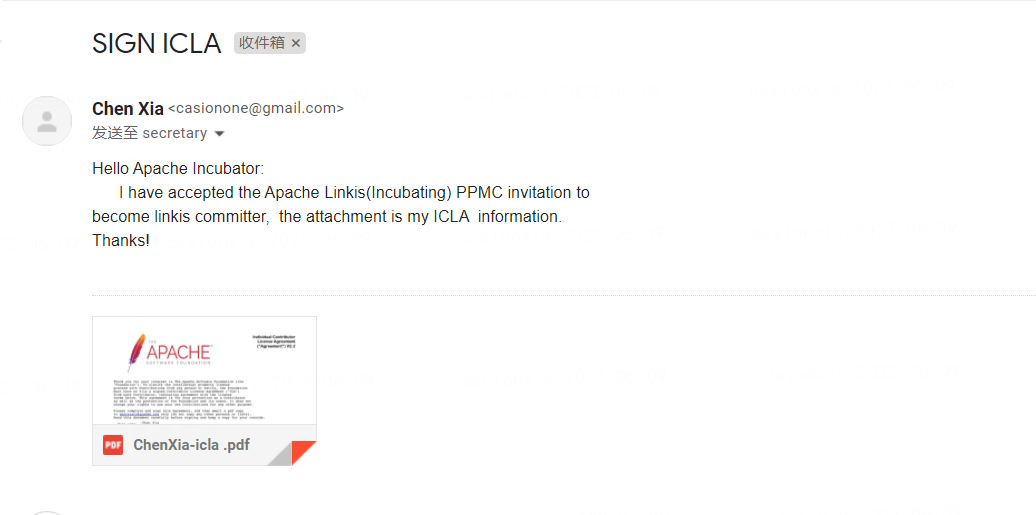
6.邮箱发送成功之后Apache linkis 官方社区告知下
手动签名和PDF软件签名DEMO#
PDF在线签名
- 下载PDF源文件
- 填写项目与个人信息
- 打开PDF在线签署网址 如 https://smallpdf.com/cn/sign-pdf
- 进入签名
- 保存下载已签名pdf
- 发送到指定邮箱
手写签名
- 下载PDF源文件
- 填写项目与个人信息n
- 打印文件
- 手写签名
- 拍照转成单个pdf 文件
- 发送到指定邮箱
示例文件可以参考 https://github.com/casionone/incubator-linkis-website/tree/dev/resource/wangming-icla.pdf