工具 Scriptis 的安装
1. 介绍#
在 Apache Linkis >= 1.1.1 和 DSS >= 1.1.0 之后,支持将 scriptis 单独部署和 Linkis 进行搭配使用,使用 scriptis 的交互式分析的功能,可以在 web 页面在线写 SQL、Pyspark、HiveQL 等脚本,提交给 Linkis 执行且支持 UDF、函数、资源管控和自定义变量等特性,本文将介绍如何单独部署 Web 组件-scriptis,并通过 scriptis 这种 Web 页面来使用 Apache Linkis 。
前提:已经成功安装并可以正常使用了 Linkis 服务(后端和管理台服务),Linkis 的部署流程可以见Apache Linkis 的快速部署
示例说明:
- linkis-gateway 服务的地址为 10.10.10.10 端口为 9001
- Linkis 的管理台 nginx 部署在 10.10.10.10 端口为 8080
2 物料准备 方式1-直接下载#
| DSS版本 | DSS源码 | Linkis版本要求 | 下载连接 |
|---|---|---|---|
| 1.1.0 | dss branch-1.1.0 | >=1.1.1 | scriptis-web 1.1.0 |
3 物料准备 方式2-自行编译#
如果不自行编译,可以直接下载编译好的静态资源包,跳过此步
3.1 环境准备#
首次编译时需要安装
3.1.1 安装 node.js#
将 node.js 下载,安装即可。下载地址:http://nodejs.cn/download/ ( 建议使用node v14版本) 该步骤仅第一次使用时需要执行3.1.2 安装 learn#
#等待安装完即可,安装 liarn 仅第一次使用时需要执行 npm install lerna -g3.2 获取 Scriptis 代码#
scriptis 是一个纯前端的项目,作为一个组件集成在 DSS 的 web 代码组件中,我们只需要将 DSS web 项目进行单独的 scriptis 模块编译
#通过git下载 >=dss 1.1.0 版本来编译scriptis组件git clone -b branch-1.1.0  https://github.com/WeBankFinTech/DataSphereStudio# 或则直接下载 zip 包 后解压https://github.com/WeBankFinTech/DataSphereStudio/archive/refs/heads/branch-1.1.0.zip
#进入 web 目录cd DataSphereStudio/web
#该步骤仅第一次使用时需要执行lerna init
#添加依赖 注意:这里不是通过 npm install 而是 lerna bootstrap 需先安装 learn 该步骤仅第一次使用时需要执行lerna bootstrap3.3 本地运行项目(可选)#
如果不需要本地运行调试查看,可以跳过此步
3.3.1 配置 linkis-gateway 服务地址配置#
如果是在本地启动服务,需要在代码中配置后端 linkis-gateway 服务地址,在web/packages/dss/目录下的.env文件,
打包部署时不需要进行配置
// 后端 linkis-gatway 服务地址VUE_APP_HOST=http://10.10.10.10:9001VUE_APP_MN_CONFIG_PREFIX=http://10.10.10.10:9001/api/rest_j/v13.3.2 运行 Scriptis 模块#
cd DataSphereStudio/web # 运行 scriptis 组件 npm run serve --module=scriptis --micro_module=scriptis打开浏览器,通过链接http://localhost:8080(本地请求默认端口是 8080) 访问应用 scriptis ,因为会请求到远端的 linkis-gatway 服务接口,这会存在跨域问题,chrome 浏览器解决跨域问题可参考解决 Chrome 跨域问题
3.4 打包#
#指定 scriptis 模块 cd DataSphereStudio/web
#该指令成功执行后,web 目录下会出现一个名叫 `dist` 的文件夹,该文件夹即为打包好 scriptis 的组件资源代码。我们需要将该前端资源部署到 linkis-web 所在的 nginx 服务器上npm run build --module=scriptis --micro_module=scriptis4 部署 Scriptis#
将直接下载(或编译)的静态资源 上传至 Linkis 管理台所在的服务器上,存放于/data/Install/scriptis-web/dist/,
在安装 Linkis 管理台的 nginx 服务器配置中,添加 scriptis 的静态资源访问规则,Linkis 管理台部署的 nginx 配置一般位于 /etc/nginx/conf.d/linkis.conf
location /scriptis { alias /data/Install/scriptis-web/dist/ ; index index.html ;}sudo vim /etc/nginx/conf.d/linkis.conf
server {            listen       8080;# 访问端口            server_name  localhost;            #charset koi8-r;            #access_log  /var/log/nginx/host.access.log  main;
            location / {             root    /appcom/Install/linkis-web/dist/; # 静态文件目录             index   index.html;            }
           location /scriptis {  #scriptis 的资源带有 scriptis 前缀与 linkis 管理台区分开             alias        /data/Install/scriptis-web/dist/  ;  #nginx scriptis 静态文件存放路径 (可自定义)             index     index.html ;            }
        .......
location /api {            proxy_pass http://10.10.10.10:9001; #gatway 的地址            proxy_set_header Host $host;            proxy_set_header X-Real-IP $remote_addr;            proxy_set_header x_real_ipP $remote_addr;            proxy_set_header remote_addr $remote_addr;            proxy_set_header X-Forwarded-For $proxy_add_x_forwarded_for;            proxy_http_version 1.1;            proxy_connect_timeout 4s;            proxy_read_timeout 600s;            proxy_send_timeout 12s;            proxy_set_header Upgrade $http_upgrade;            proxy_set_header Connection upgrade;            }
            #error_page  404              /404.html;            # redirect server error pages to the static page /50x.html            #            error_page   500 502 503 504  /50x.html;            location = /50x.html {            root   /usr/share/nginx/html;            }        }
修改配置后,重新加载 nginx 配置
sudo nginx -s reload注意 nginx 中,location 配置块中使用 root 和 alias 区别
- root 的处理结果是:root 路径+location 路径.
- alias 的处理结果是:使用 alias 路径替换 location 路径.
- alias 是一个目录别名的定义,root 则是最上层目录的定义
5 Scriptis 使用步骤#
必须先通过 Linkis 管理台登陆页面登陆成功后,再访问scriptis 页面5.1 正常登录 Linkis 管理台#
#http://10.10.10.10:8080/#/http://nginxIp:port/#/因访问 scriptis 需要进行登录验证,所以需要先进行登录,获取并缓存 cookie。
5.2 登录成功后 访问 Scriptis 页面#
#http://10.10.10.10:8080/scriptis/#/homehttp://nginxIp:port/scriptis/#/homenginxIp:Linkis 管理台所部署的 nginx 服务器 ip,port:nginx 配置启动的端口号,scriptis为请求 scriptis 项目静态文件 nginx 配置的 location 地址(可自定义设置)
4.3 使用 Scriptis#
以新建一个 sql 查询任务为例。
step1 新建脚本 选择脚本类型为 sql 类型

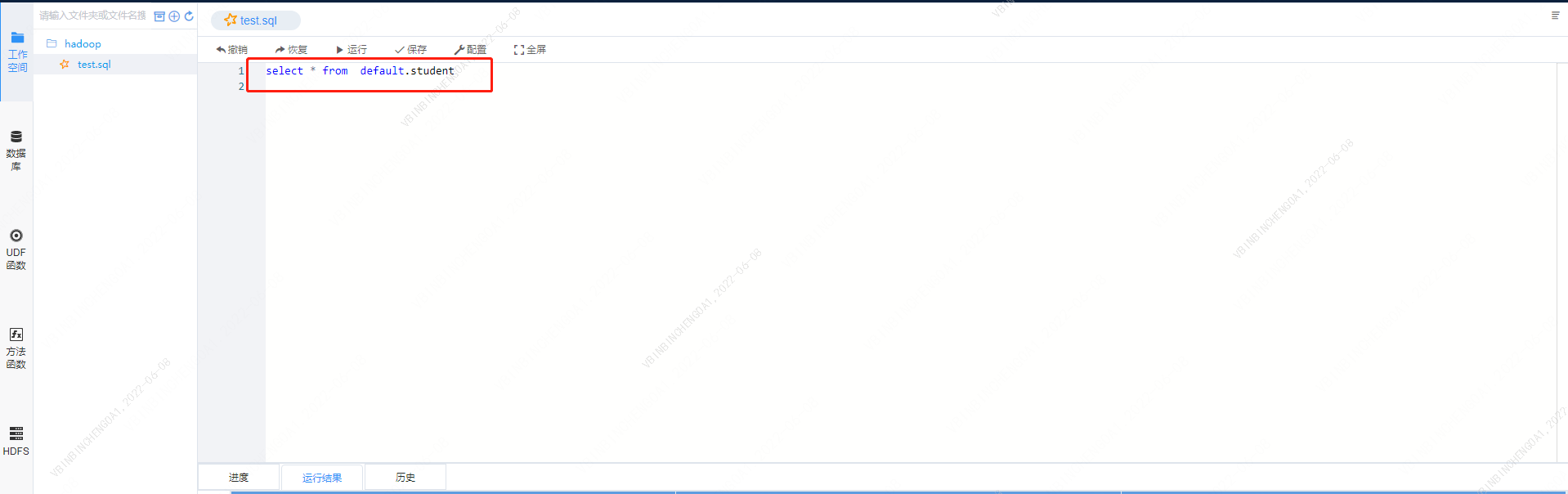
step2 输入要查询的语句
step3 运行

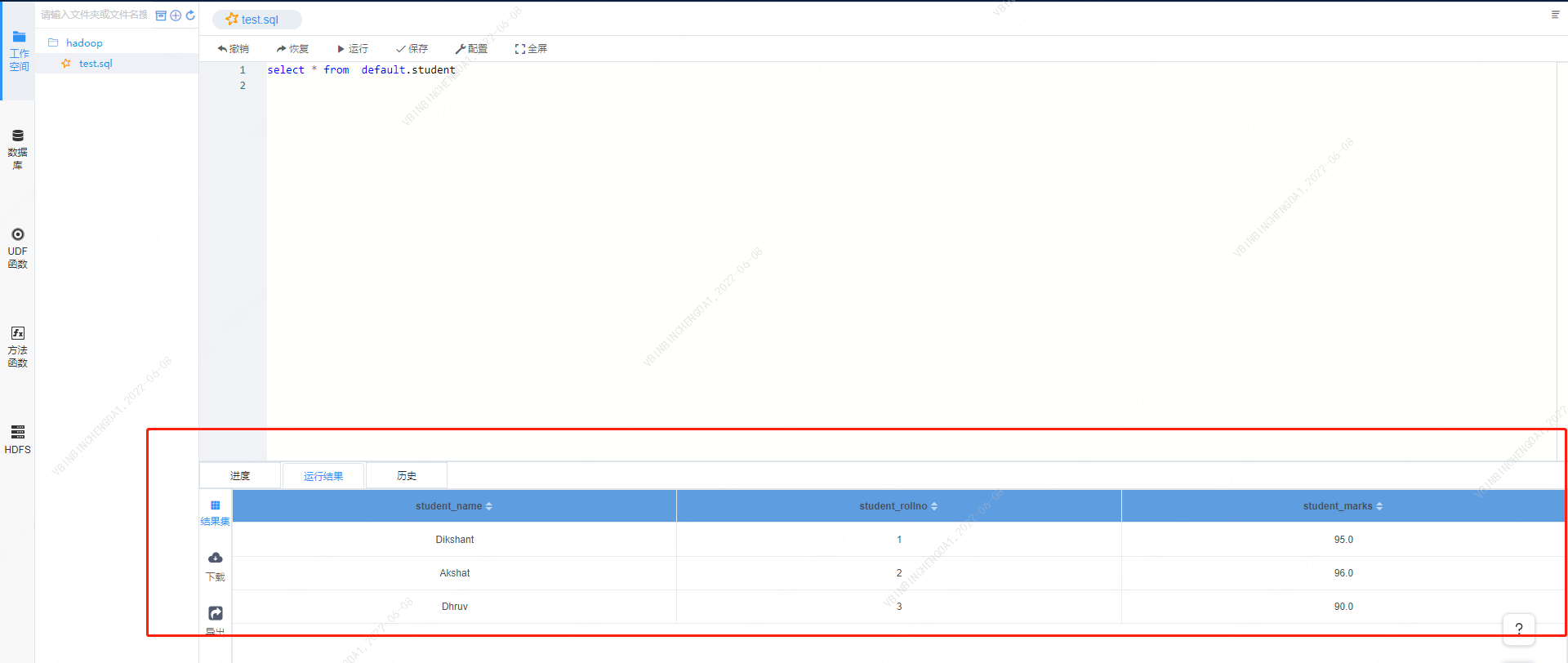
shep4 查看结果